Introducing the Opportunity Handbook
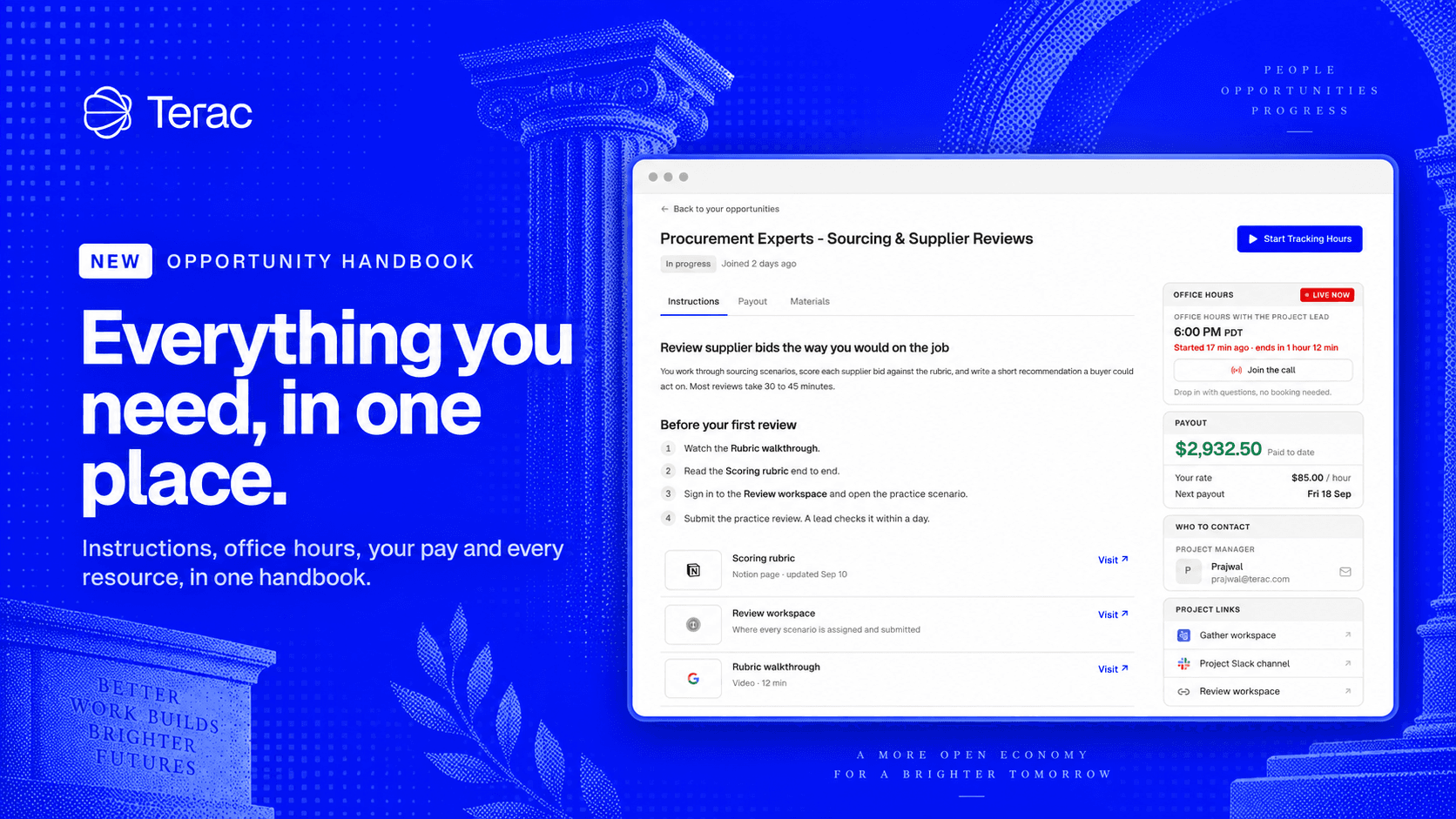
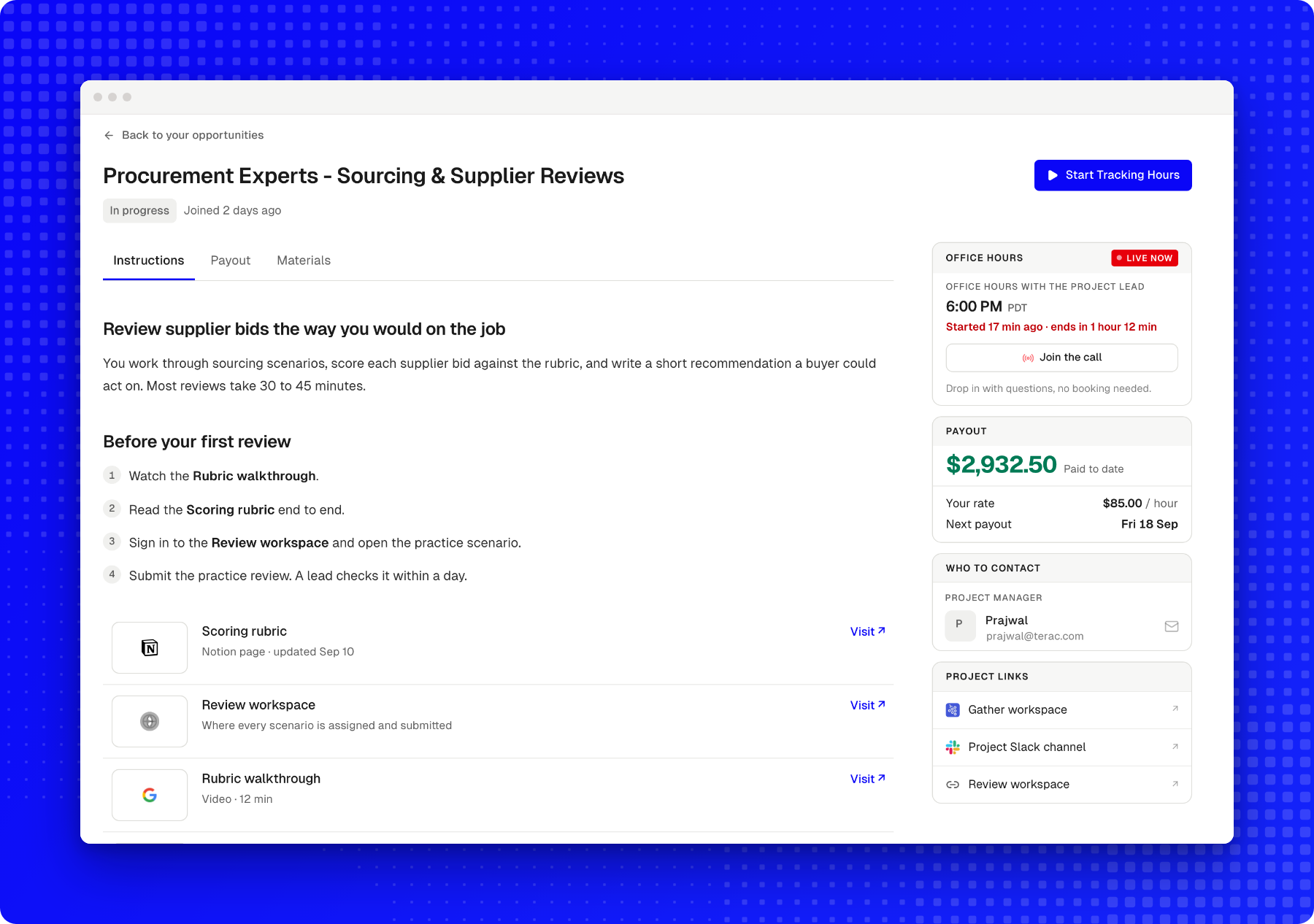
Opportunities that run for weeks involve a lot of moving parts, and until now the details were scattered. Instructions sat in a Notion page linked from a welcome email, the rubric in a shared Drive folder, and the walkthrough video somewhere in Slack. Office hours lived in a calendar invite, and confirming your rate meant finding the original offer.
That is manageable on day one. By week three, finding the one guideline that decides whether your work is accepted can mean searching across four different tools.
These opportunities now include a handbook: one place for everything you need to do the work well, maintained by the team running the opportunity.
How to do the work
Every handbook opens with the instructions: what the work involves, where to begin, what strong work looks like, and what leads to a revision. Guides, rubrics and recordings appear alongside the steps they support, and answers to common questions follow at the end.
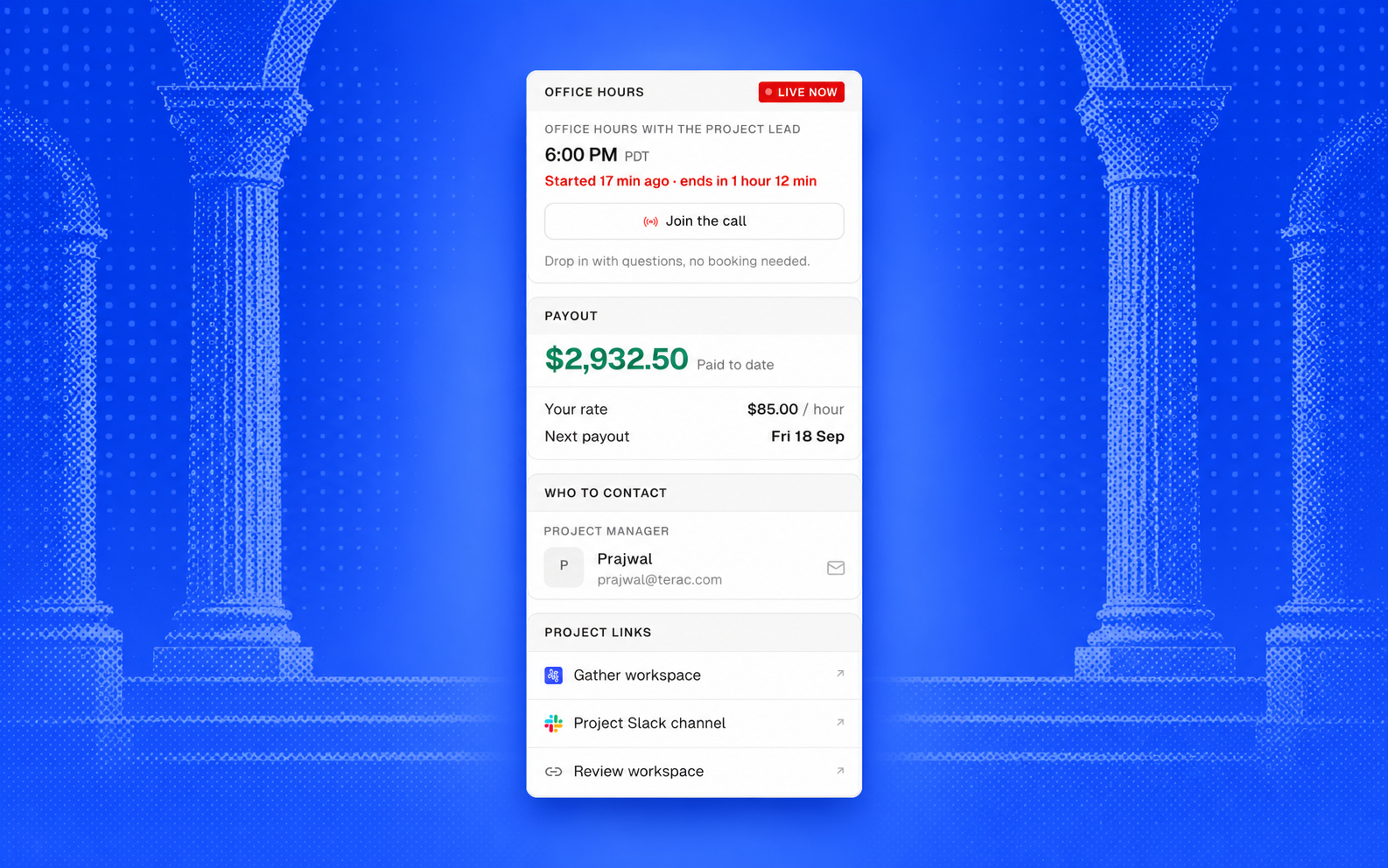
Office hours, pay, and who to ask
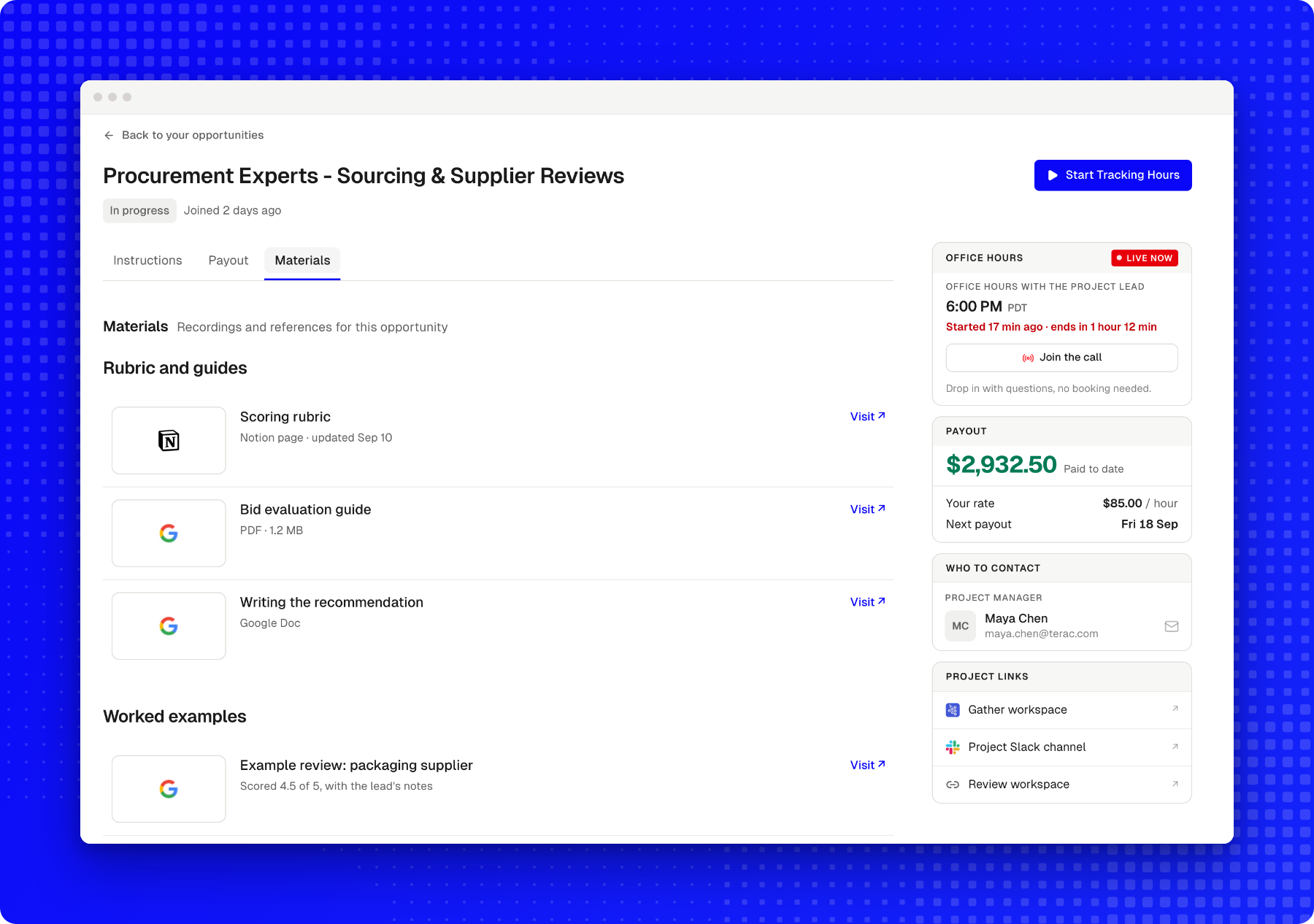
The details you return to most often stay in view beside the instructions.
- Office hours. The next session, shown in your time zone. Add it to your calendar in one click, or join directly from the handbook while the session is live.
- Your pay. Your rate, what you’ve been paid to date, and the date of your next payment.
- Who to contact. The person leading the opportunity, and how to reach them.
- Links. Slack, Gather, and the tools the work is done in.
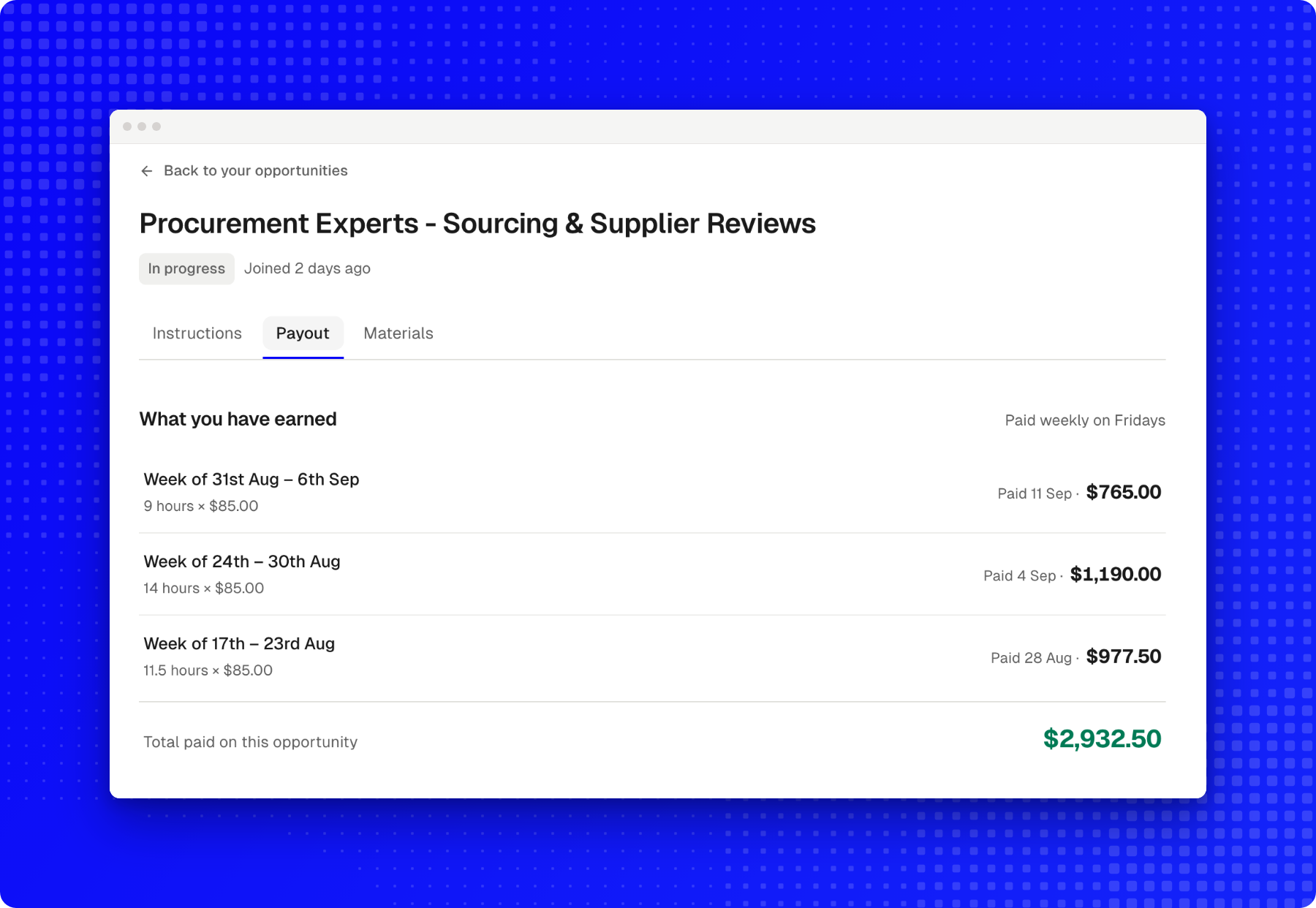
Every payment, in detail
The Payout tab records each payment with the period it covers, the work and rate behind it, and the date it was paid. The total is calculated from those same entries, so the figures always reconcile.
All your materials
The Materials tab brings every guide, worked example and recording together, so you never have to search through old messages for a link.
Finding your handbook
Once you’re approved on an opportunity that has a handbook, you’ll find a link to it on the opportunity’s page. From then on, you can open it at any time from Home, where the opportunity includes a Handbook link and a reminder appears when office hours are about to begin.
Contents
