Creating an Opportunity
Build a study with the AI copilot or the step-by-step builder, then launch it to verified experts.
An opportunity is a job an expert can apply to. You define who you want, what they will do, and how much they earn; Terac sources verified experts and collects their submissions.
There are two ways to build one:
- Start from a brief (fastest). Describe your study to the AI copilot in plain language, or upload a brief, and it writes the fields for you.
- Build step-by-step. Move through Setup, Audience, Tasks, and Review yourself, with the copilot available whenever you want a hand.
Both edit the same underlying study, so you can mix them freely. The copilot makes its changes directly in the form, so nothing is hidden and everything stays editable.
Draft it with the copilot
From Opportunities, click Create and pick a type to open the builder. The Copilot sits in the right rail. Describe who you want to talk to in plain English, including the role, the company profile, how many people you need, and the incentive. Send it, and the copilot fills in the form: the opportunity name, the internal name, and an expert-facing description.
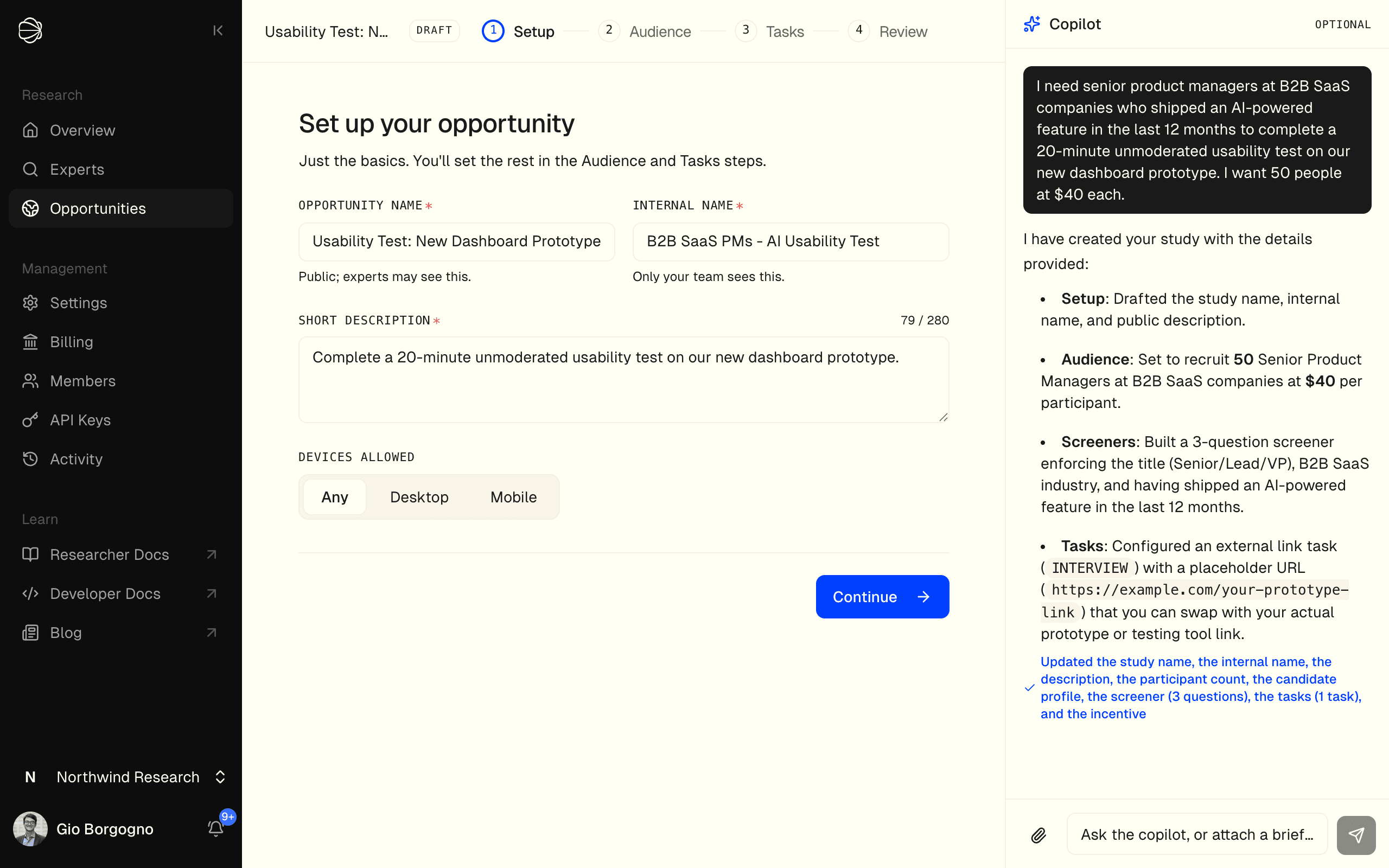
The copilot works incrementally and tells you what it changed. Keep going in plain language to set the audience, add a screener, define the task, and set the incentive, or jump into any step and adjust the fields yourself.
Already have a brief written up? Use the attach button in the copilot to upload it instead of typing. It accepts PDFs, images, and text files (up to 3 MB), and you can send with just the file attached, the copilot builds the study from what the document specifies.
Choose your opportunity type
Picking a type seeds the right steps and task defaults. You can change everything later.
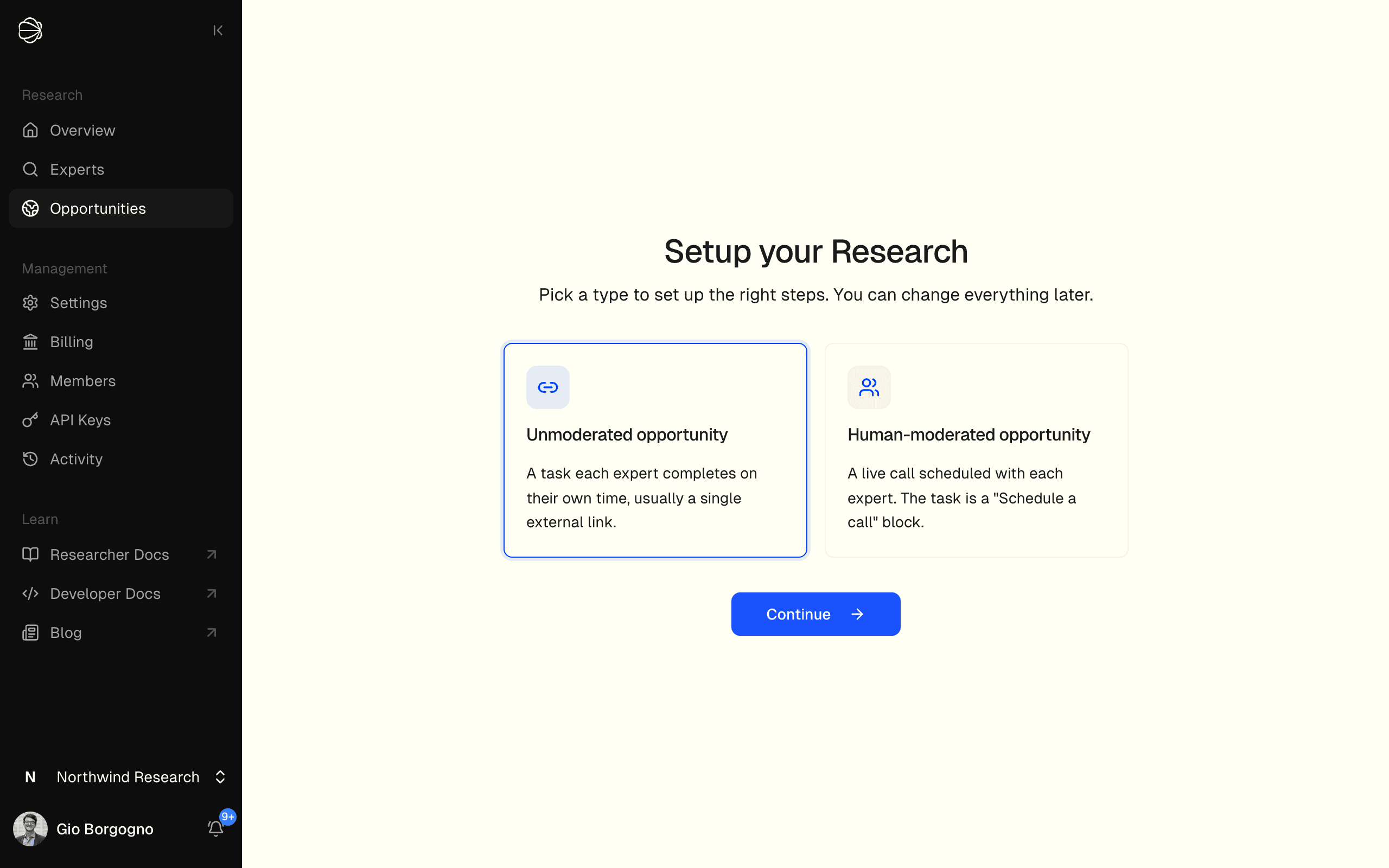
- Unmoderated - a task each expert completes on their own time, such as a usability test or an external link.
- Human-moderated - a live call scheduled with each expert. The task is a "Schedule a call" block.
Step 1: Setup
The Setup step holds the basics:
- Opportunity name - public; experts may see this. Make it specific and compelling.
- Internal name - only your team sees it. Use it to organize studies.
- Short description - the expert-facing summary, up to 280 characters. Keep it clear and avoid biasing language; never state what qualifies, since every applicant reads it before the screener.
- Devices allowed - restrict to Desktop or Mobile only when the task requires it.
Step 2: Audience
The Audience step is where you decide who qualifies.
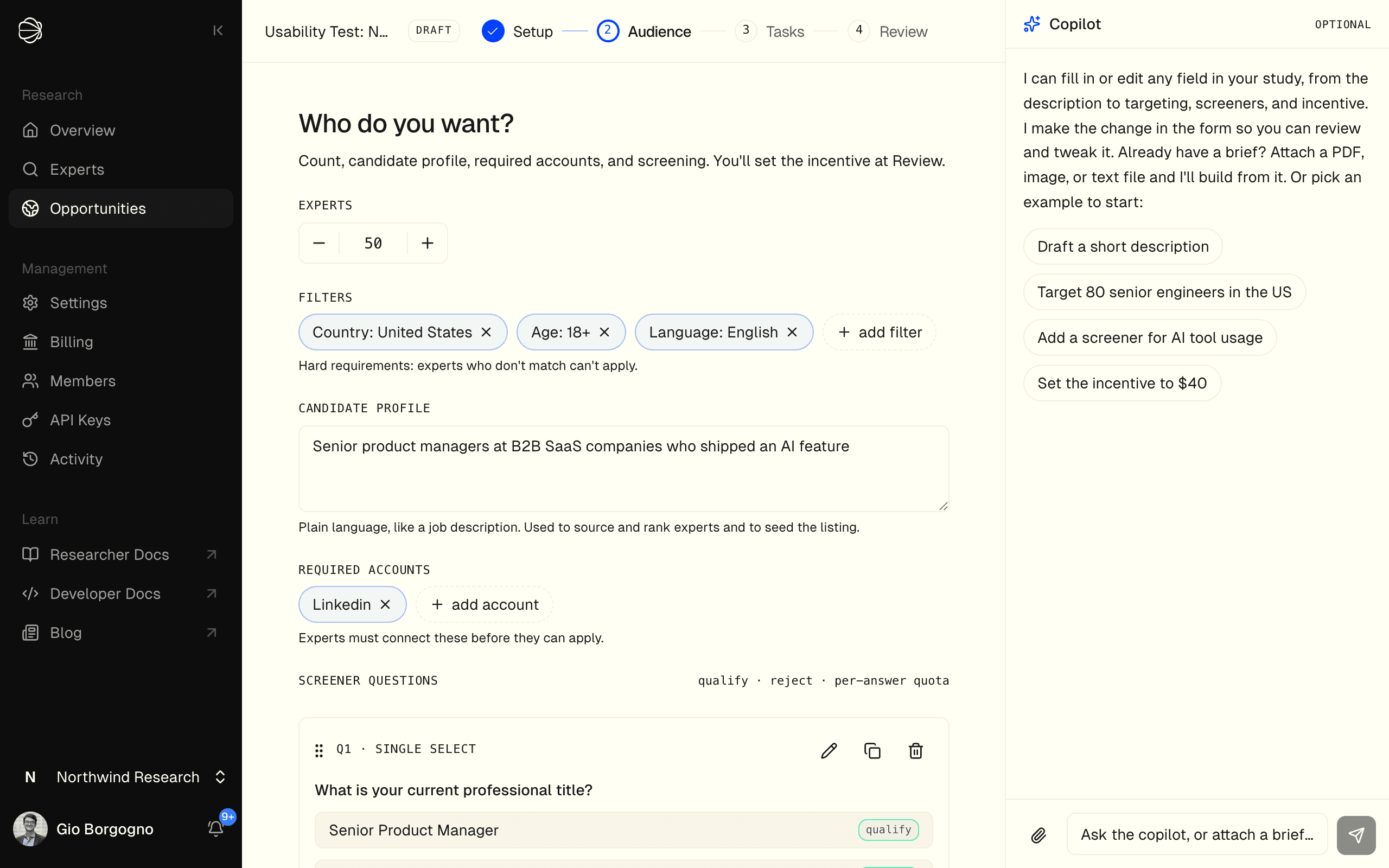
| Field | Description |
|---|---|
| Experts | How many submissions you want |
| Filters | Hard requirements; experts who do not match cannot apply, so only require what you truly need |
| Candidate profile | Like a job posting, used to source, rank and screen experts; never shown to them |
| Required accounts | Verified connections (such as LinkedIn) an expert must link before applying |
| Screeners | Soft qualification questions; mark answers as qualify, reject, or set a per-answer quota |
Keep screeners short, use plain language, and include a "None of the above" option where it helps. See Screening and Filters for the full detail.
Step 3: Tasks
The Tasks step defines what experts actually do, in order. Give each task a clear, expert-facing title and description.
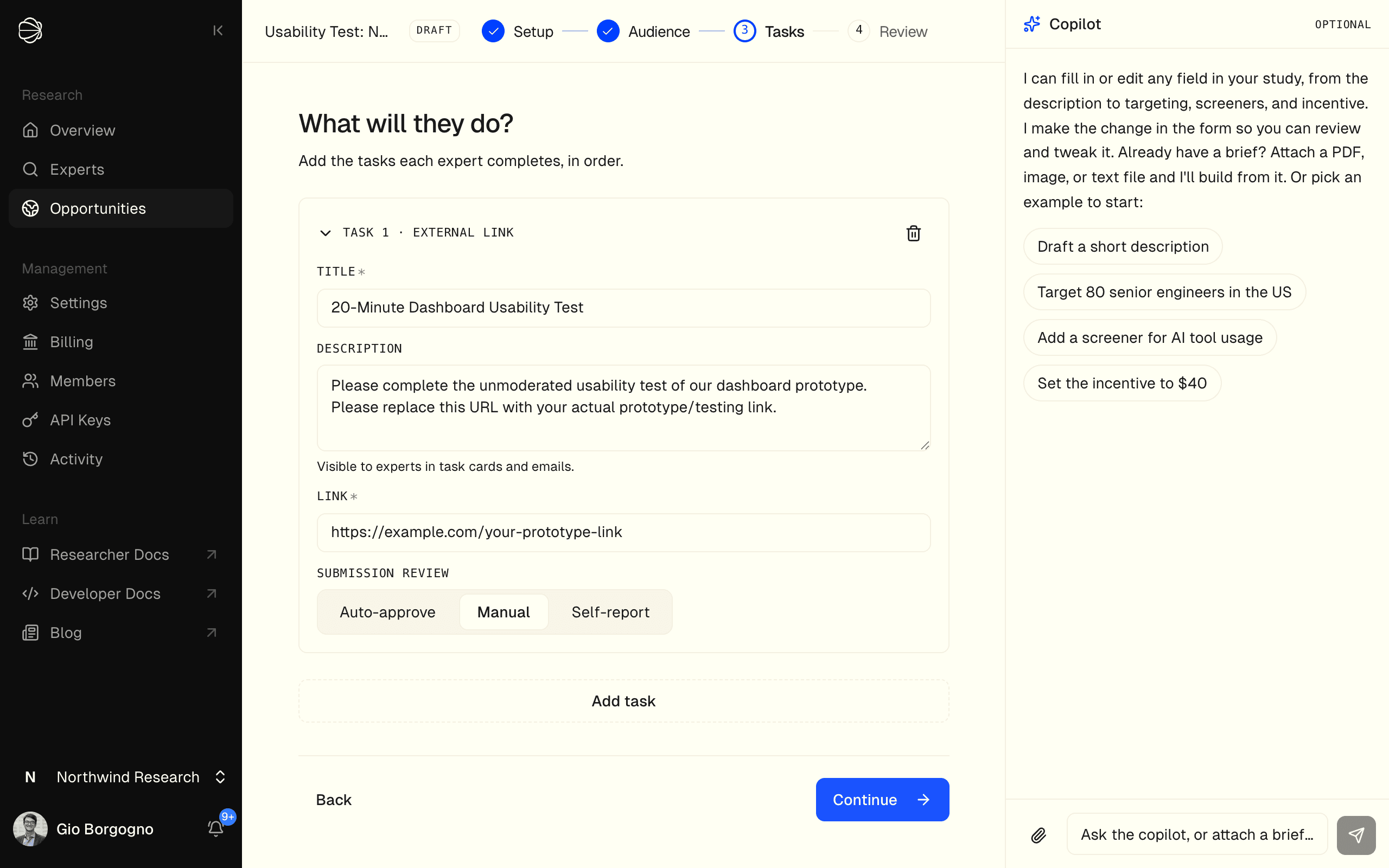
- For an unmoderated opportunity, the task is something experts do on their own time: an in-app activity, or an external link to your survey or prototype (paste the URL experts open).
- For a human-moderated opportunity, the task is Schedule a call: pick a scheduling provider (Calendly, Google Calendar, or Microsoft Bookings) and paste your booking link.
See Tasks for every task type.
Step 4: Review and launch
The Review step asks How do you want to set the incentive? The incentive is what each expert earns, and you can change it any time before you launch.
- Priced by the Terac team (recommended). Click Send to the Terac team. The step shows Your study is with the pricing team until the price is in, and Cancel request turns it back into a draft you can price again. When the price lands, Here's what your study needs to fill shows the incentive per expert, the number of experts, the fee per expert, and the total. Click Accept and launch, or Adjust the price first.
- Set the incentive yourself. Click Set my own incentive. Incentive / expert is pre-filled with Terac's suggested price, and What you'll pay shows the incentive times the number of experts, the platform fee, and the Grand total. You can go below the suggestion after confirming Launch below the suggested price?, but not under $5. Click Launch at my price.
Nothing is charged until you launch. Launch unlocks only when every step is complete (each shows a checkmark) and the opportunity has at least one screening question.
If Terac has enabled launching without a screener for your organization, an opportunity with no screening questions can launch too, after you confirm it. See Launching Without a Screener.
Make sure your organization has enough credits to cover the grand total before you launch.
Best practices
- Lead with the copilot to get a complete draft in seconds, then refine by hand.
- Only add hard filters you genuinely need; everything else belongs in screeners.
- Keep screeners short and write a strong, specific listing description.
- Pay a fair incentive; it is the biggest lever on response rate and quality.
Duplicating an Opportunity
To run a similar study with different parameters, use the Duplicate action on any existing opportunity. It copies the full configuration, including screeners, filters, and task setup, so you adjust only what is different.