Time Tracking with Insightful
Install Insightful and record your hours on an hourly study.
Studies that pay by the hour track your time with Insightful. The study's Set up your time tracker step walks you through three things: create an account, install the app, and run the timer once on the study's project. Each one ticks off on its own when you finish it, and the study moves on once your time has landed on its project.
On your computer the app is called Workpuls. Insightful is the company, Workpuls is the app they ship. Same thing.
Step 1: Create an account
When you reach the step, we create your Insightful account, add you to the study's project, and Insightful sends you an invitation. The step shows the address it went to: the personal email on your Terac account.
- Open the email Welcome to Insightful! from
support@insightful.io. It can take a minute to arrive, so check spam or promotions too. - Click Start using Insightful.
- Create a password and save it. You need it to sign in to the app in the next step.
The step ticks off as soon as you open the link in the email.
Step 2: Install and sign in
- Download Workpuls with the step's Download button and open it. The download page only works while you are signed in to Insightful in your browser, which you are after Step 1.
- Sign in with the address the invitation went to and the password you created.
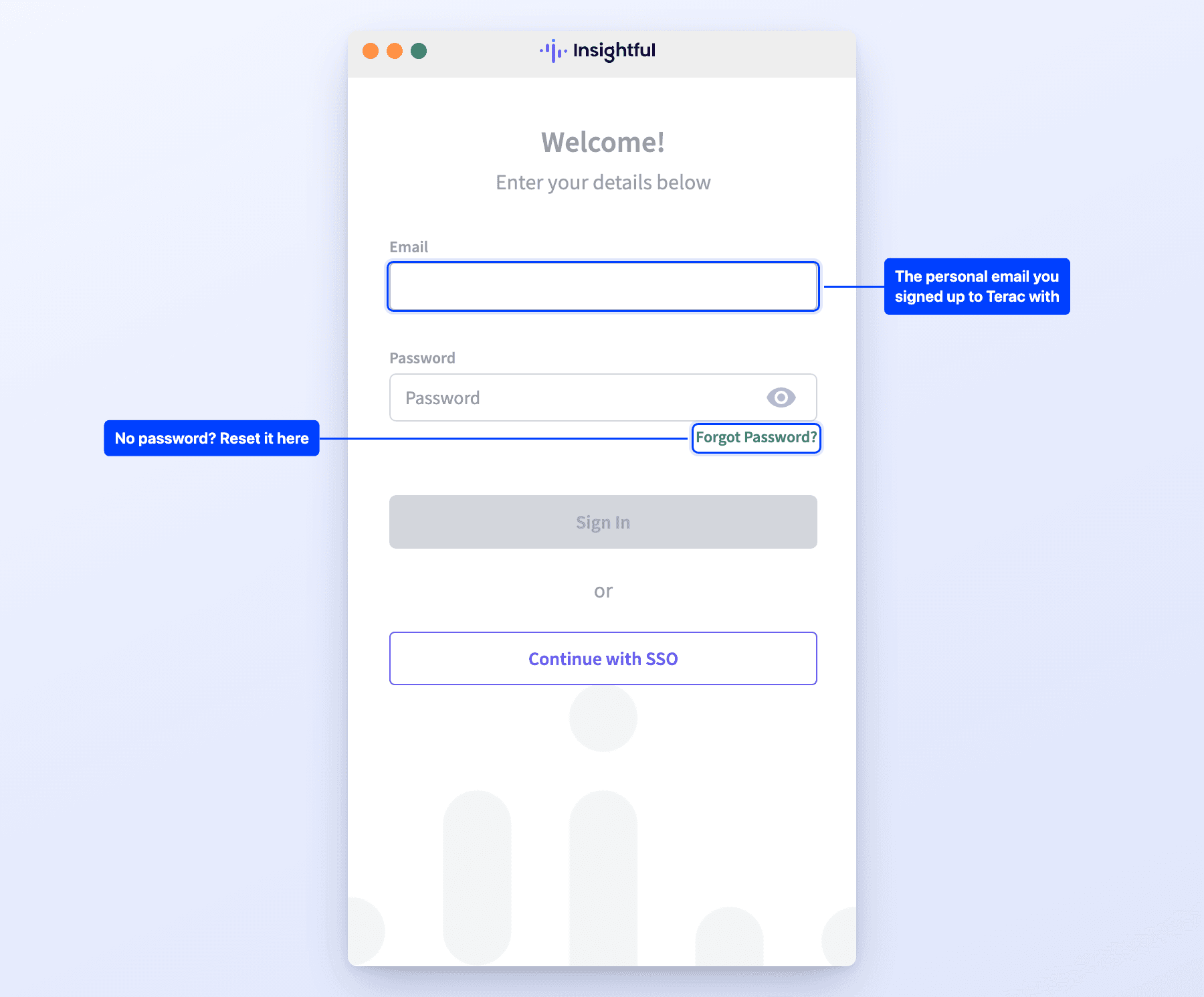
Forgot the password? Click Forgot Password? on the sign-in screen and enter that same address.
On macOS, allow Accessibility and Screen & System Audio Recording when the app asks. It cannot record your time properly without them (see below).
Windows 10 or later, macOS 11 or later, Linux in beta. The step ticks off as soon as you sign in.
Screen recording permission
The app needs permission to capture your screen. Without it the timer still runs and your hours still count, so nothing looks broken, but the screenshots that back those hours up are missing, and most hourly studies expect them. The app takes screenshots only while your timer is running. It does not record video, and it takes no screenshots while you are idle.
macOS
This is a Mac permission, not a setting inside the app.
- Apple menu, then System Settings
- Privacy & Security
- Screen & System Audio Recording
- Turn on Workpuls. Insightful ships the app under that name, so that is what you are looking for.
- If it is not in the list, click + and add
Workpuls.appfrom Applications - Quit the app completely and open it again. The permission does not take effect until you do.
Workpuls needs a second permission alongside this one, and Apple changed it in macOS 27. On macOS 26 and earlier, turn Workpuls on under Accessibility. On macOS 27 and later, look for Device Control & Data Access instead: same Privacy & Security list, same app name.
If you granted Accessibility by hand before updating to macOS 27, it carries over. You may see a one-time notification confirming it, and there is nothing for you to do.
Windows
Nothing to grant by hand. If screenshots are still missing, your antivirus or a privacy tool is blocking the app, so allow Workpuls there. On a work laptop your employer's software can block screen capture outright, and in that case you will need a personal machine for study work.
Confirm it worked
Press play on your task, work for a few minutes, then open Open Dashboard at the bottom of the app window. If you can see recent screenshots, it is working. If the timer is counting but nothing appears after a full session, the permission is usually still missing. Some projects switch screenshots off, and on those none appear even with the permission on.
Turning the permission off mid-study is treated the same way as an inflated timer: a quality issue rather than a payment dispute. See Account Standing.
Step 3: Start the timer, then stop it
The step shows which project and task to pick.
-
In the app, open Assigned Projects and open the study's project.
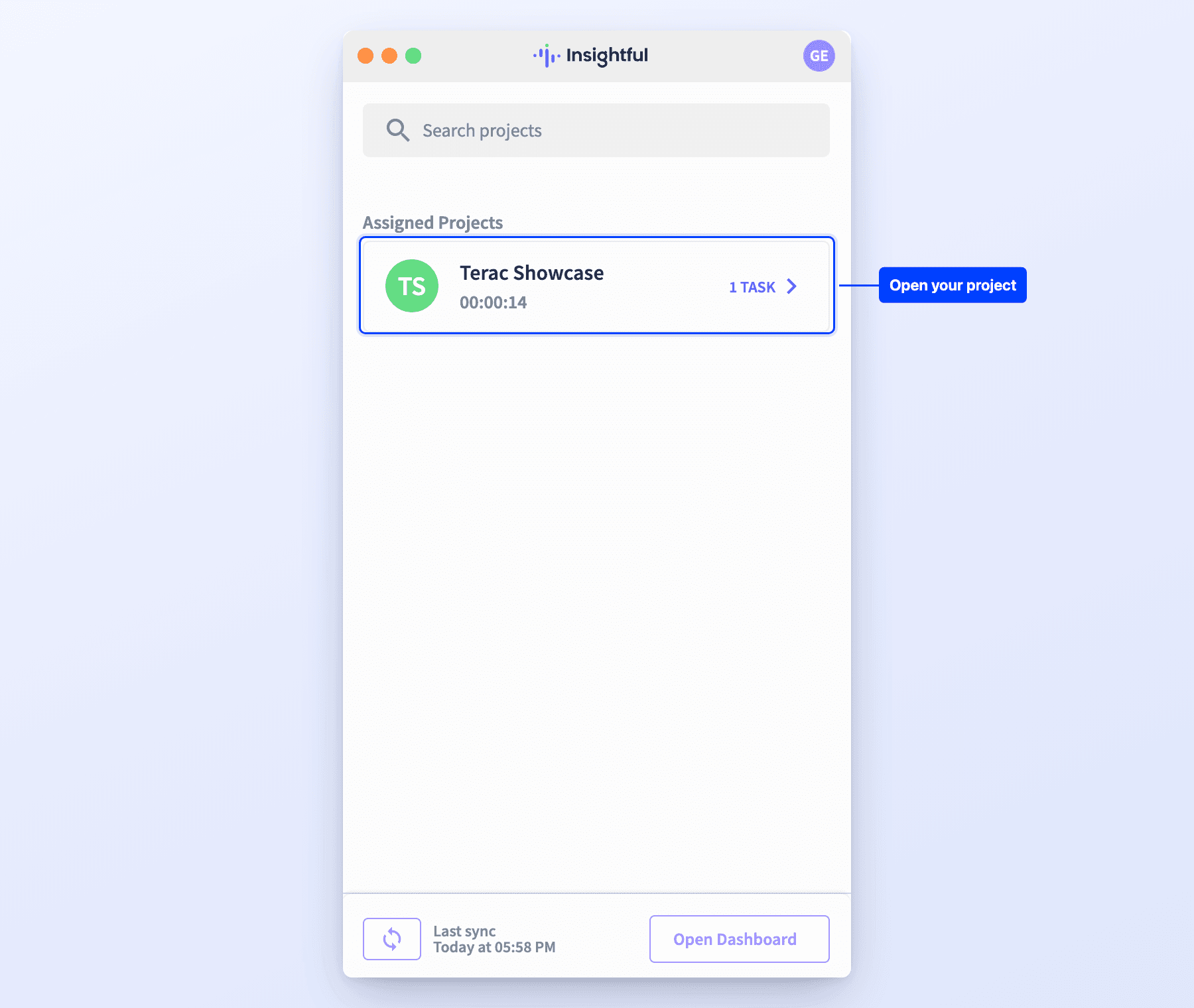
-
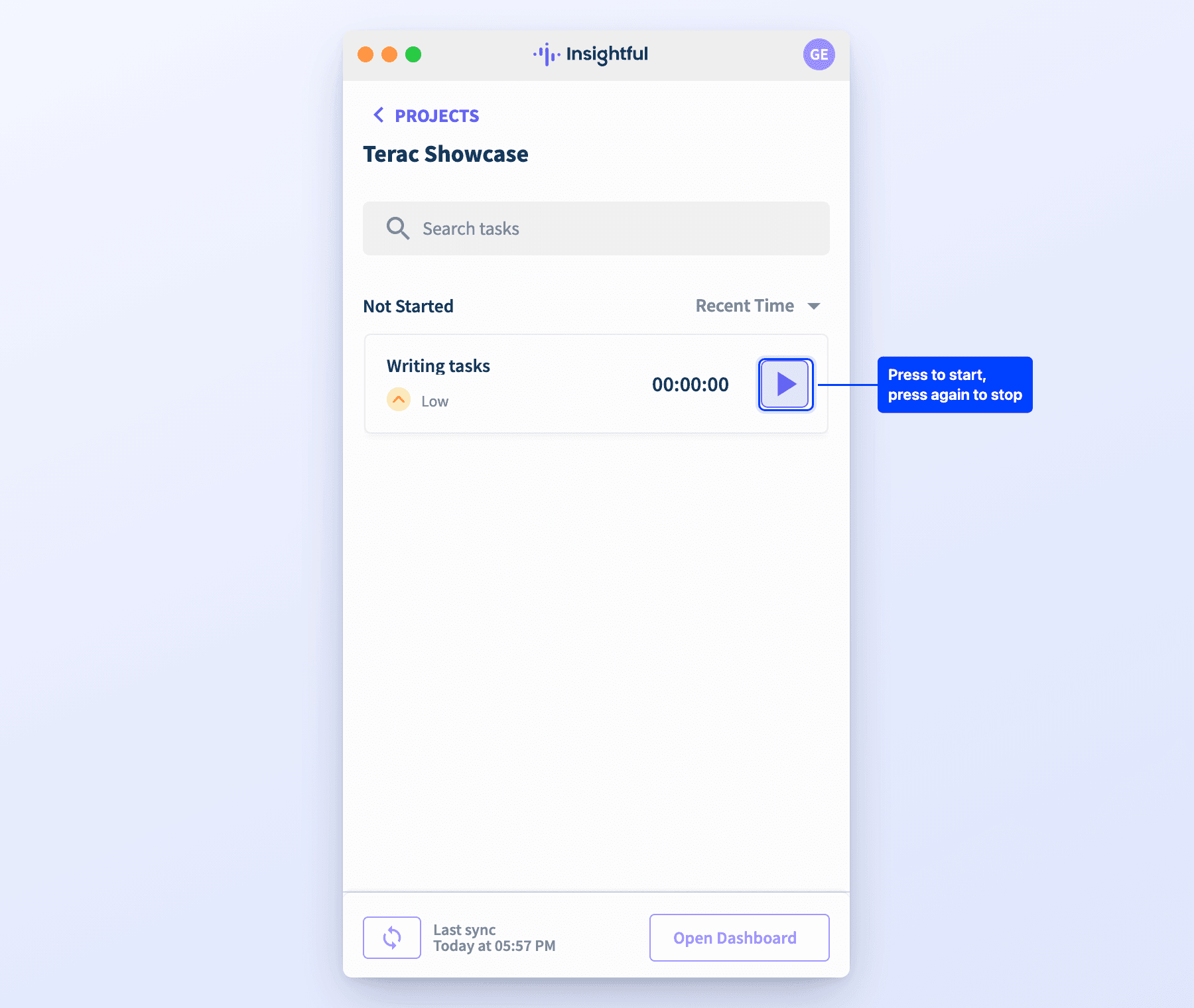
Press play on its task to start the timer.
-
After a few seconds, press stop. It only counts once it is stopped.
After you stop, the step checks that the time landed on the study's project. That takes about 20 seconds, then the study moves on by itself. If the time went to another project, the step says so: start the timer on the right project and task, then stop it again.
Time you record outside the study's project never reaches the study, and it cannot be moved there afterwards. If the project is not under Assigned Projects, press the sync button at the bottom of the app.
From then on, time counts only while the timer runs, and only inside the study's project. Nothing is recorded before you press play or after you stop.
Already used Insightful?
If you tracked time on an earlier study, you already have an account and the app, so the step shows only Start the timer. Open Workpuls, pick the new project and its task, start the timer, then stop it. Using a different computer than before? Having trouble? on the step links to the download again.
How tracked time becomes payment
Only tracked hours are paid, and they are reviewed before they are paid rather than approved automatically. Each project pays on its own schedule, shown on its Payout tab, and some projects pay only for time spent on the apps and sites the work requires. How payable hours work, in Tracked on the opportunity's Time tab, shows which of your time is paid. See Project-Based Work.
We look at tracked time alongside the work you produced. If a session shows hours with no work behind them, we may ask you about it before paying it. Honest mistakes happen, and we would rather hear about them from you than find them ourselves.
In practice:
- Start the timer when you begin and stop it when you finish.
- Do not leave it running while you are away from the work.
- If you forget to stop it, tell us the same day and we will correct it.
Leaving the timer running while you are not working is treated as a quality issue rather than a payment dispute. See Account Standing.